Netify: Online Course Platform
Designed a dynamic online learning platform that provides a wide range of courses for learners of all levels. With an intuitive interface, responsive design, and seamless navigation, the platform empowers users to explore, enroll, and enhance their skills effortlessly.
Role
UX/UI Designer
Duration
1 months
Team
1

Stage 1. Design Execution
Think purpose, goals, target audience, and then content.
Create visual identity, including mood board, color and typography.
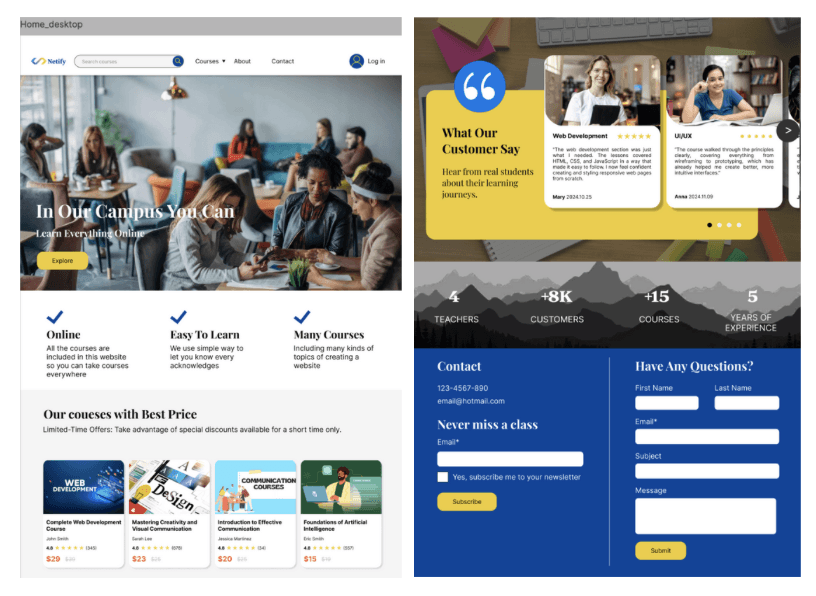
Create wireframes: These wireframes served as the foundation for the app's structure, focusing on facilitating easy access to educational content and interactive features.
Create mockups: Crafted a visually appealing and accessible user interface, selecting a color palette that promotes concentration and creativity.
Stage 2. User flow design and evaluation
LATCH: Use Location, Alphabet, Time, Category, and Hierarchy to evaluate the platform.
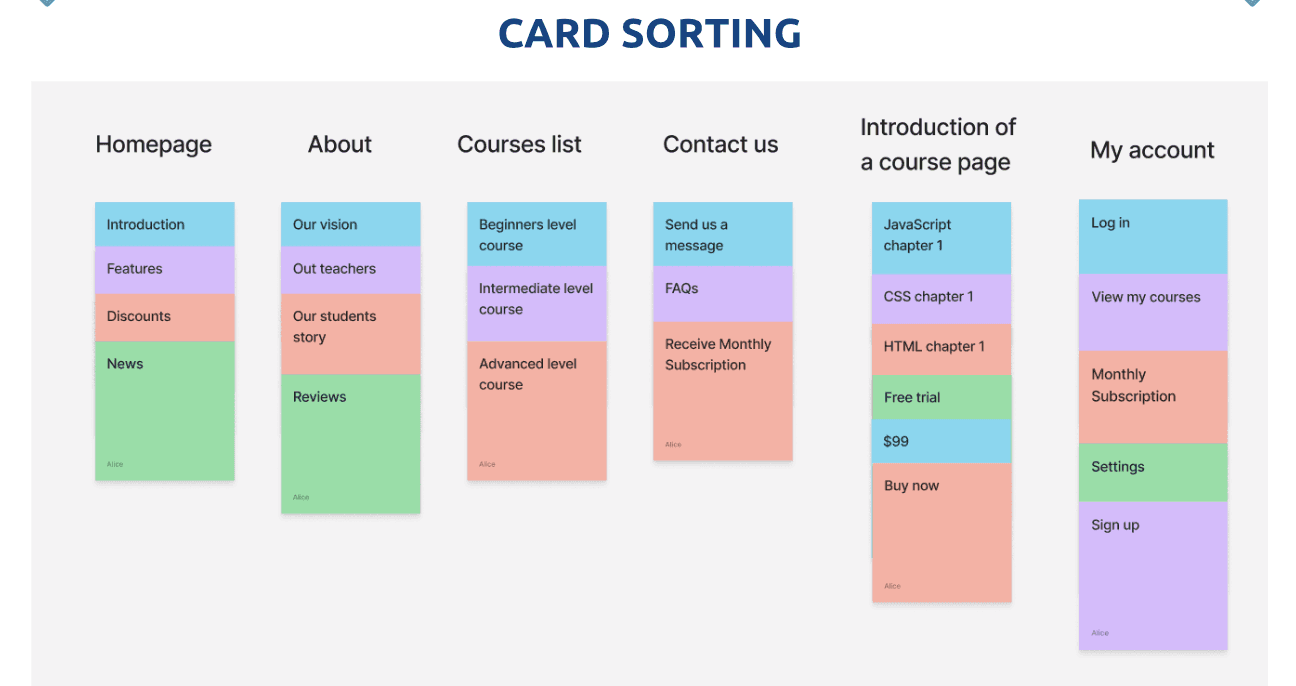
Card sorting: Use UXtweak tool to collect data for creating the structure of the platform.
Tree testing: Use UXtweak tool to evaluate the structure of the platform.
User flow: Mapped out user flows for key app functionalities, including buying course, continue a course, finding answer of a question. Prioritized simplicity and intuitiveness in the navigation structure to enhance user engagement.
Stage 3. UI kits design and prototyping
Crafted a visually appealing and accessible user interface, selecting a color palette that promotes professional and creativity, alongside typography that improves readability across various devices.
Develop UI Kit: Create a UI Kit that includes essential elements like buttons, icons, input fields, and carousels.
Prototyping: Developed high-fidelity prototypes for pages that showcased the website's core features, including typing in search bar, dropdown list of menu, and scrolling tabs, enabling realistic user interactions.
Stage 4. Responsive Design
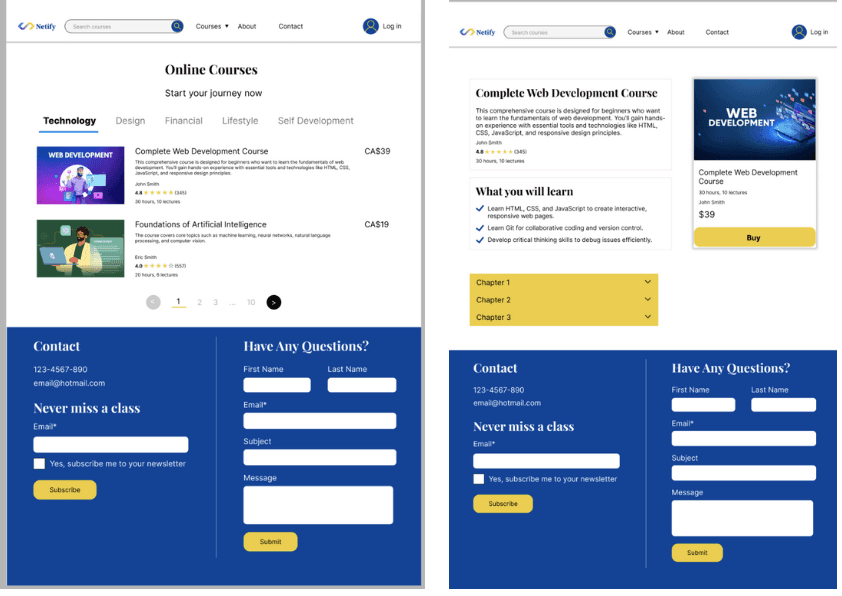
Designing all mobile/tablet/laptop versions of pages.
Create course detail page.
Use RWD techniques such as constraints, auto layout, grid feature of Figma.
Add animations and prototypes.
Stage 5. UX Research
Finding issues on the platform using UX Honeycomb.
Conduct UX research to understand the issues, including Guerilla Usability Testing, System Usability Scale (SUS), Cognitive Walkthrough.
Organized user testing sessions with a participants to gather feedback on the website's usability and appeal.
Analyzed feedback to identify usability issues and areas for improvement.
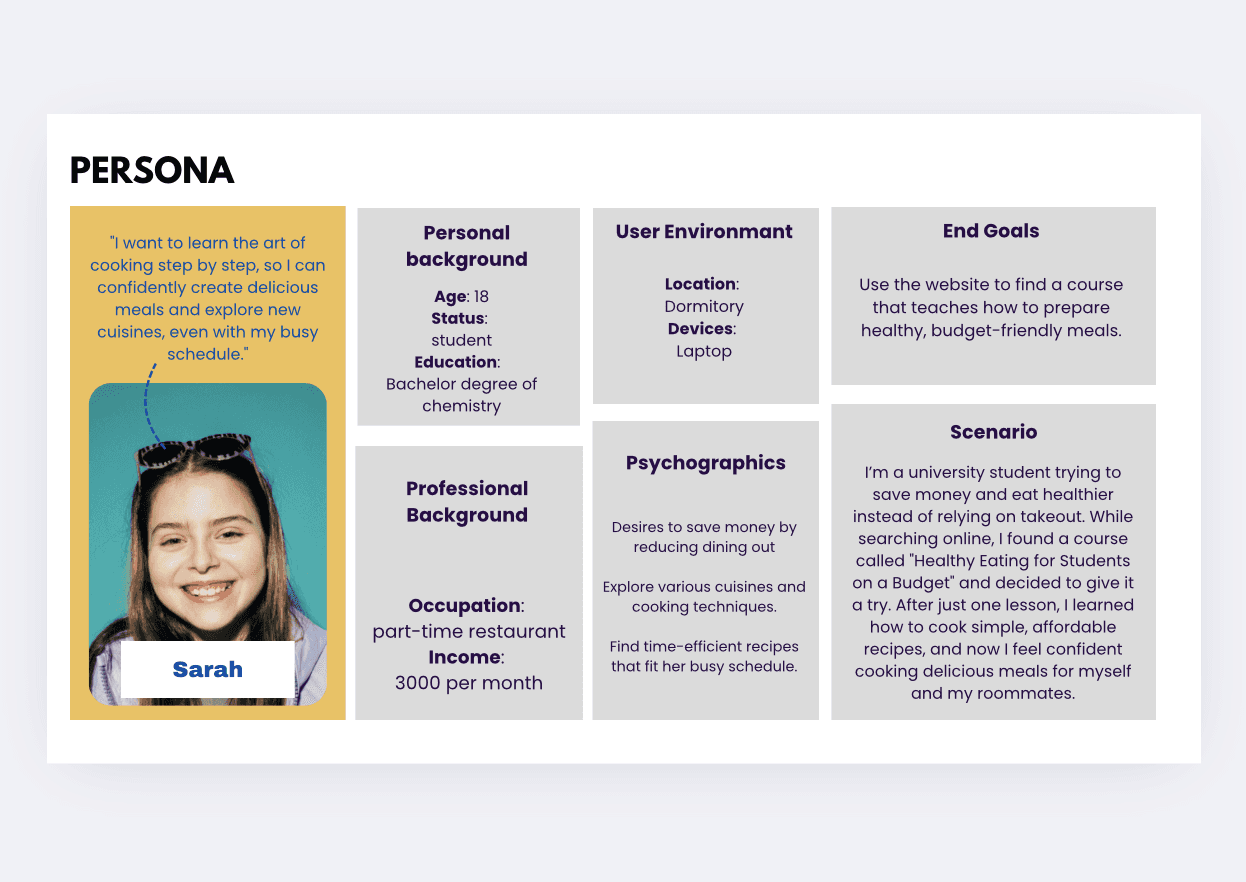
Developed user personas and scenarios to guide the design process and ensure a user-centered approach.
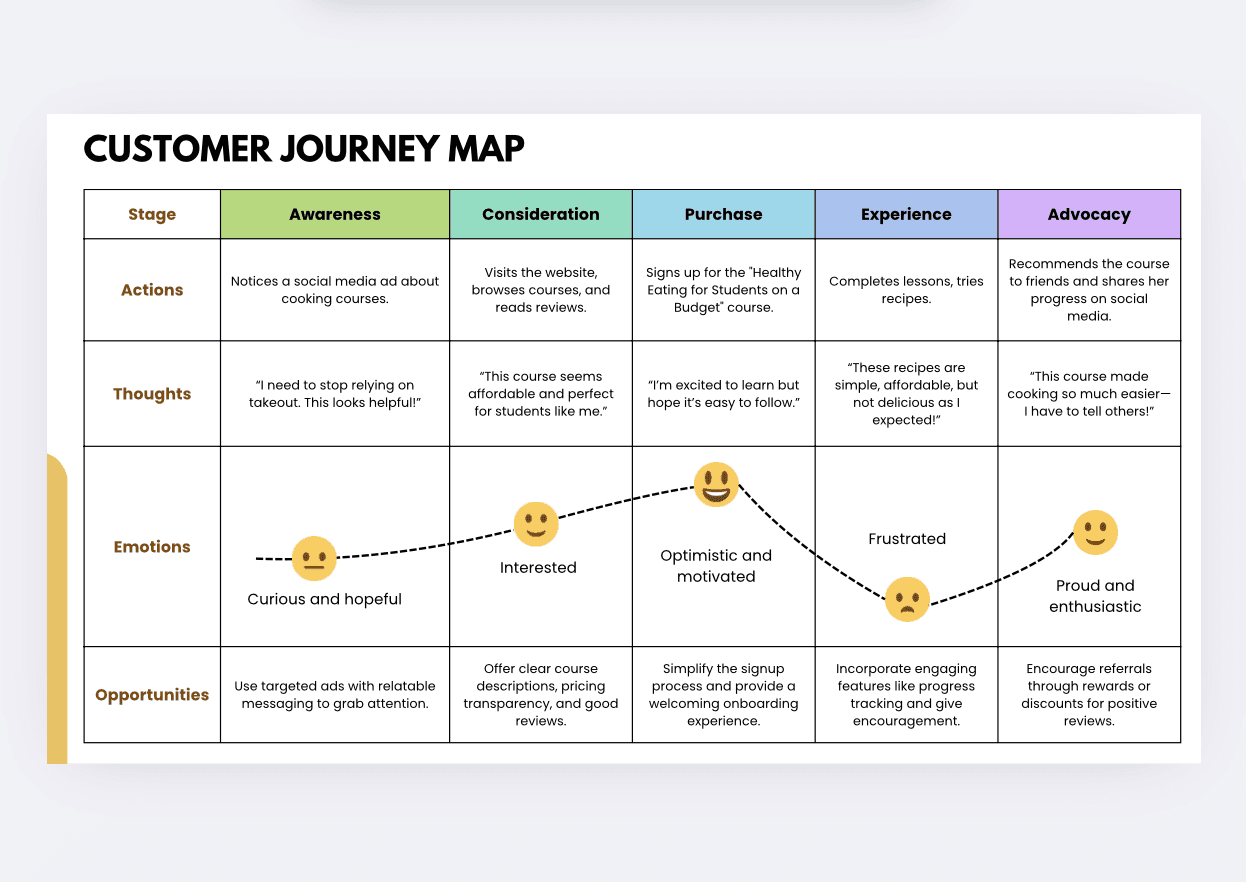
Developed customer journey maps to suggest solutions.
Reflections
This project was an invaluable opportunity to apply UX/UI design principles in a real-world setting, contributing to a product that promotes online leaning. It challenged me to think creatively about how to meet user needs and preferences, enhancing my skills in research, design, and communation. The experience underscored the importance of user feedback in the design process and the impact of thoughtful design on user engagement and satisfaction.